Comment it.Let your agent fix it.Review it.Check it off
Feedback from email, WhatsApp, meetings and your agents hangs on a column hidden at the right edge of your Mac’s screen: move the pointer there and it slides in. Agents fix it and say where. You look it over and let it go.
curl -fsSL https://raw.githubusercontent.com/sdezubiria/goodcomments/main/install.sh | shFree and open source (MIT). Everything stays on your Mac. No account, no analytics.
To open it, push the pointer against the right edge of your screen.
The column waits just past the right edge. Rest the pointer there for a moment and it slides in; move away and it slides back out of sight. Or press ⌃⌥C. Pin it to keep it open.
 1Thu 26 Nov 10:41
Pricing that grows with you
Start free. Upgrade when your team does.
On your mind
Hang it up from wherever the feedback arrives.
Not tied to pull requests or commits. A comment is a sentence, a place (a page, a file and line) and, if you have one, a screenshot.
- The columnRest the pointer on the right edge of the screen, or press ⌃⌥C.
- Any app⌃⌥N opens a small window. Selected text goes through Services.
- A screenshot⌃⌥S takes one and lets you draw on it: pen, arrow, box, text.
- The terminal
gc add "Footer link 404s" -f shot.png
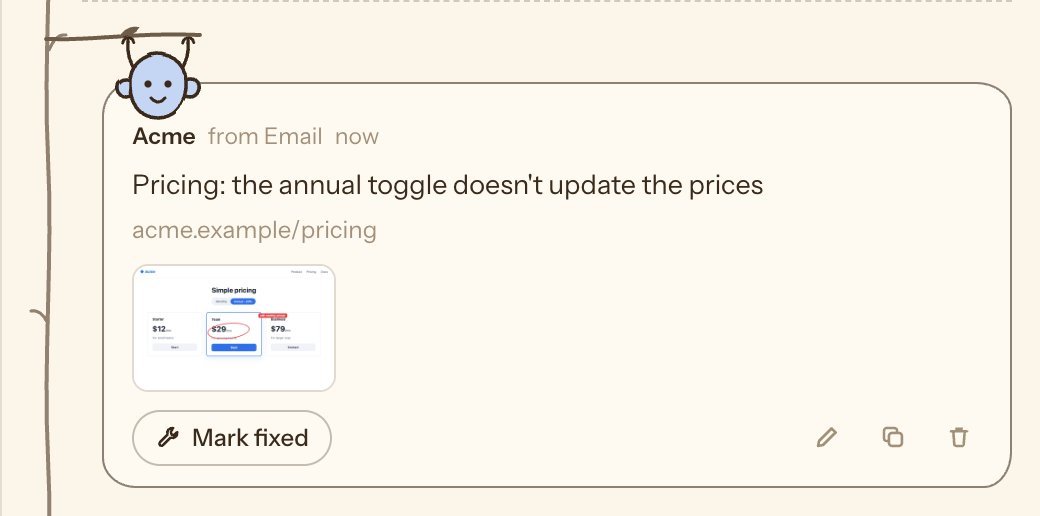
To look at
Your agent fixes it, and tells you where to look.
An MCP server and a CLI that any agent can use. Inside a repo, agents find that project's comments on their own, fix them, and mark them fixed with a note, links and an after shot. Only you can mark a comment done.
# once: give Claude Code the tools
claude mcp add goodcomments -s user -- \
  node ~/.goodcomments/app/bin/gc.js mcp

# or the CLI, from any agent or script
gc                    # this repo's open comments
gc show 12
gc fix 12 "Resized the hero in header.php"
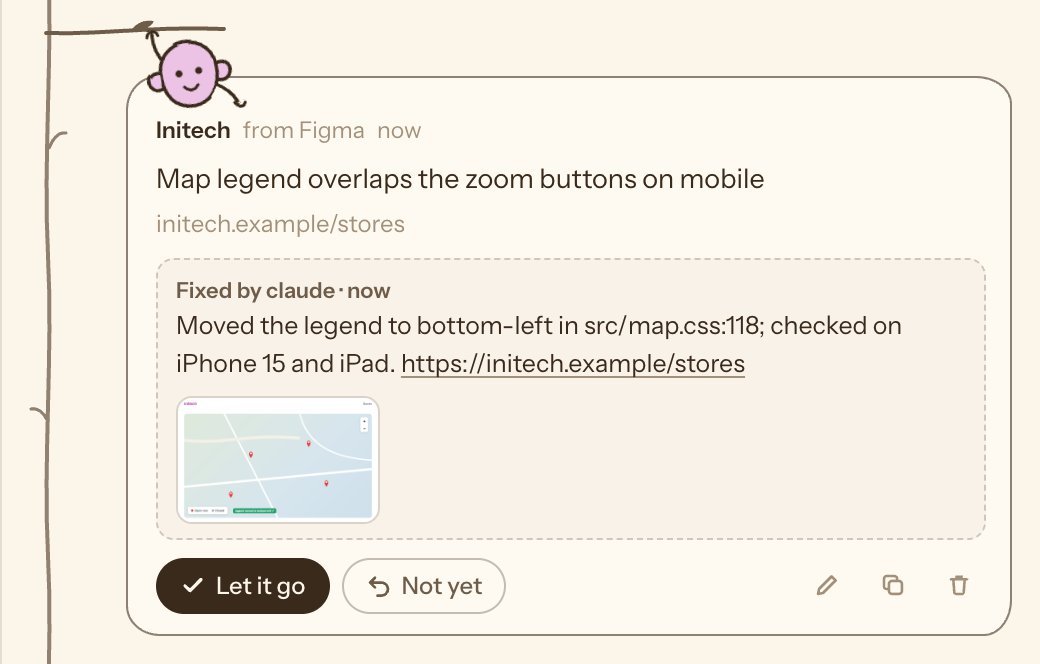
Ask Claude on any card opens a Claude Code session in that project's folder with the comment as its task. When it's fixed, you see the card drop and get a notification.
Let go
You check it. It falls on the pile.
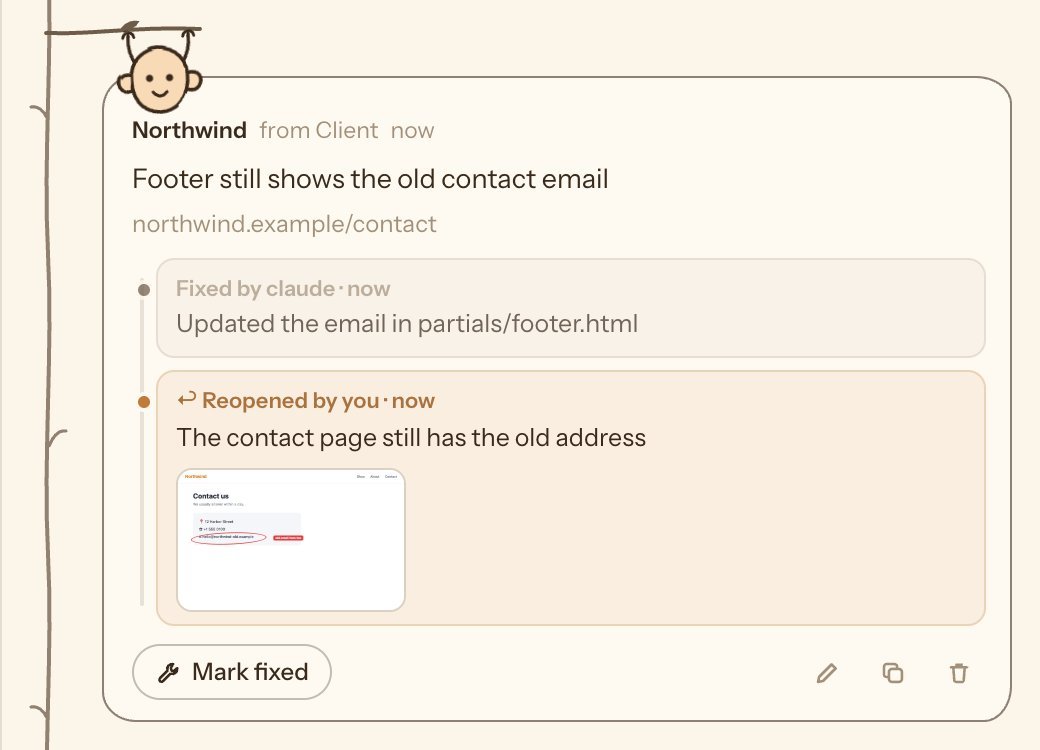
The pile grows as the project gets done, then clears itself after the days you choose. Cleaned comments can be restored, and every fix and reopen stays in a thread on the card.
- Projects by folder
- Point a project at a repo and everything run inside it picks the right one.
- Only on your Mac
- Comments, history and screenshots live in one file on your Mac. Nothing is sent anywhere.
- Keyboard first
- j and k move between cards, a approves, r reopens, e edits. ⌘Z undoes a move.
- Light on storage
- Screenshots are shrunk before they're stored and deleted on your schedule, or kept.
- The menu bar monkey
- Shows how many comments wait for you. A notification opens the column on the card.
- The monkeys themselves
- They have opinions. Throw the ones on the pile around. There may be bananas.
Install in one line.
Paste this in Terminal. It downloads GoodComments, adds the gc command, builds the menu bar app and, if you use Claude Code, connects it. Run it again to update.
curl -fsSL https://raw.githubusercontent.com/sdezubiria/goodcomments/main/install.sh | shbrew install sdezubiria/goodcomments/goodcommentsNeeds macOS 13 or later, Node.js 22.13+ and Apple's Command Line Tools (xcode-select --install).
Set it up by hand
git clone https://github.com/sdezubiria/goodcomments.git
cd goodcomments
npm start      # the board at http://127.0.0.1:4477
npm link       # puts gc on your PATH
npm run mac && open mac/build/GoodComments.app